
Issues When Switching Between Windows and Linux
If you have Windows and Linux installed on the same computer, you’ve probably encountered unpleasant issues when switching between operating systems.
Common Problems
Section titled “Common Problems”When using a dual-boot configuration, users regularly face the following problems:
- Network connection failures — Ethernet and Wi-Fi stop working after switching from Windows to Linux
- Non-working Bluetooth — Bluetooth adapter is not detected or cannot connect to devices
- Read-only file system — Drives used by both systems are mounted in read-only mode and don’t allow writing data
Automatic Solution
Section titled “Automatic Solution”There is an elegant solution that automatically disables hibernation every time Windows shuts down. This ensures that on the next Linux boot, all devices will work correctly.
Step 1: Create Hibernation Disable Script
Section titled “Step 1: Create Hibernation Disable Script”Create a text file named hibernate_off.bat and add the following command:
powercfg -h offStep 2: Place Script in System Directory
Section titled “Step 2: Place Script in System Directory”- Open Windows Explorer
- Copy the
hibernate_off.batfile - Navigate to:
C:\Windows\System32\GroupPolicy\Machine\Scripts\Shutdown - Paste the file into this directory
Step 3: Configure Group Policy
Section titled “Step 3: Configure Group Policy”Now you need to configure Windows so that the script runs automatically every time the system shuts down.
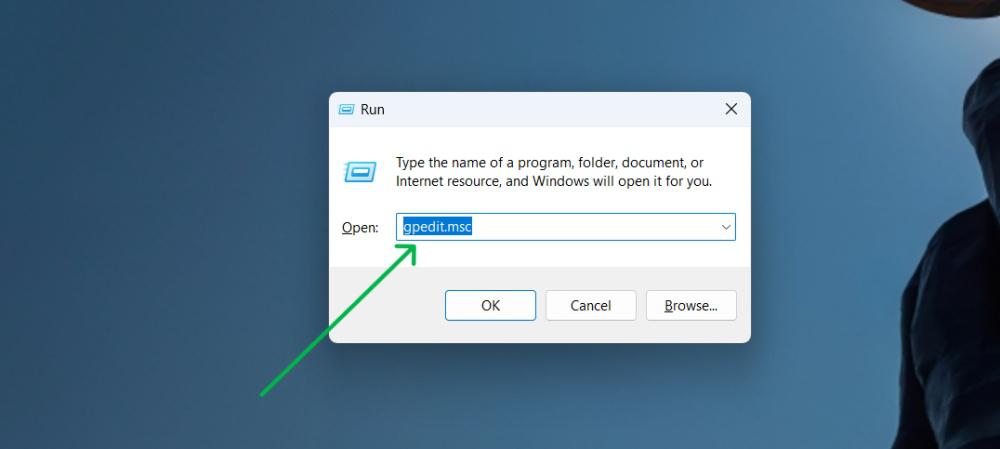
- Press Win + R
- In the “Run” dialog, type:
gpedit.msc - Click OK
Step 4: Add Script to Shutdown Policy
Section titled “Step 4: Add Script to Shutdown Policy”In the Local Group Policy Editor:
-
Navigate to the following path in the left panel:
Computer Configuration → Windows Settings → Scripts (Startup/Shutdown) → Shutdown -
Double-click on Shutdown
-
In the window that opens, click Add
-
Click the Browse button
-
Find and select the
hibernate_off.batfile that you placed in theShutdownfolder -
Click OK to confirm
-
Click Apply and then OK to save changes
Result
Section titled “Result”After completing all steps:
- Network connections work stably
- Bluetooth devices connect without problems
- File systems mount with write permissions
- No need to manually disable hibernation every time